


Eξοπλισμός καταμέτρησης
θορύβου πτήσεων

Οι σταθμοί μας
Οι σταθμοί μας βρίσκονται σε 4 μελετημένα σημεία για να γίνεται ορθότερη καταμέτρηση
.png)
Αγ.Κυριακή
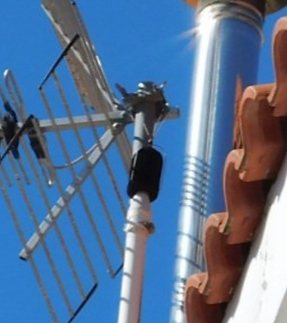.png)
Αγ.Ιωάννης
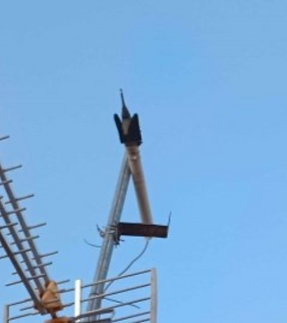.png)
Μεσοβάρδα

Πανόραμα

Πολεοδομία Μαρκόπουλου
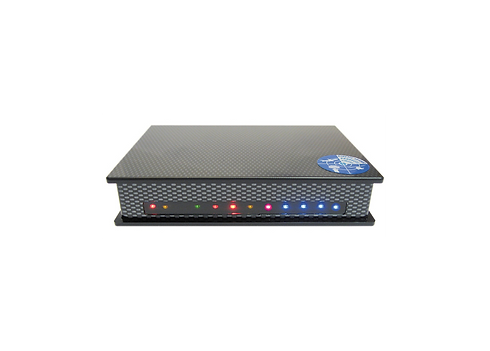
SBS-1eR : Front Panel LED Indicators Description
LED INDICATORS (viewed from the front – running left to right)
%20(2).png)
%20(3).png)
%20(4).png)
Screen Layout
The main screen of the application looks something like this:
Figure 1: Application main screen
On the left is the Radar Screen and on the right is the Aircraft List. In between them is a splitter control – which you can drag in and out with the mouse to change the width of the Aircraft List.
At the top is the toolbar, which contains shortcuts to the most used menu items.
Along the right-hand side is the sidebar, which contains additional shortcuts to view commands and is also the only interface element that remains visible when in full screen mode (see Sidebar).
You can also “pop” the Aircraft List “in and out” by clicking on the Aircraft List Expand
Button (the button with a green triangle and the caption “Open”). The picture below shows
the screen after it has been “popped open”:

Sound level monitor SPM 483

Sound sensing and recording.
Monitor & microphone for measuring and recording sound levels
••continuous monitoring of sound sources
••automatic transmission of measured data
and results to local network or Internet
••storing of the data of the recent 2 years in flash memory
••free and cyclically programmable recalling and transmission of data
••sound level measurement according to DIN EN 61672
Features
••weather-proof microphone with wind shield, bird spikes and heating
••high reliability due to automatic self-check
••automatic transmission of measured values to PC or Internet server, via Ethernet, modem or mobile telephone system (FTP, DHCP)
••simple representation of measured values by means of software SPMview and conversion to Microsoft Excel format
••online representation of measured values via GfS server possible
